New features and product enhancements
Renew a Buyer Want-Listing to the top of the feed, see buyer demand on a map, and read schools and flood zones on every MLS listing.
Renew a Buyer Want-Listing to the top of the feed
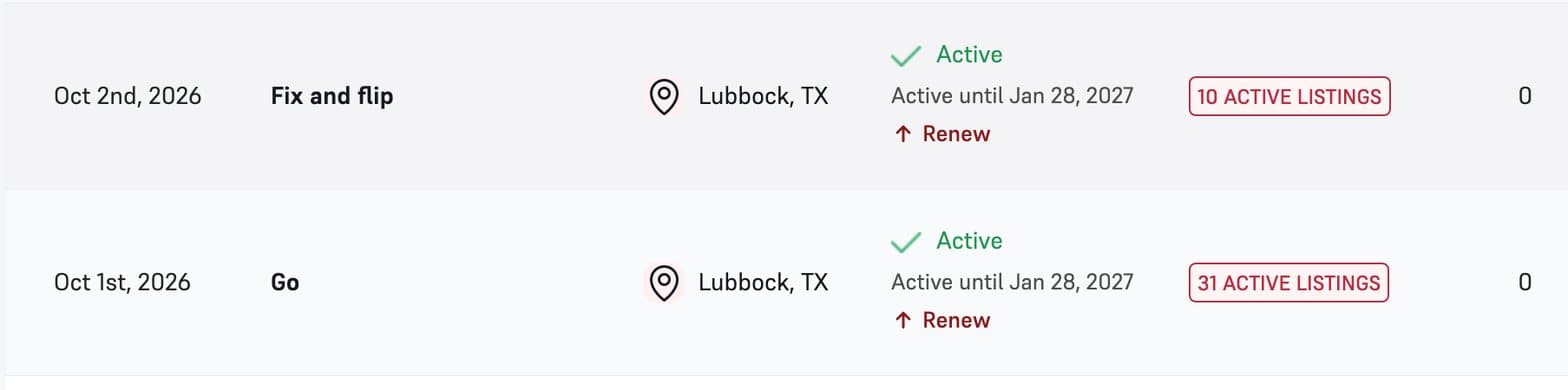
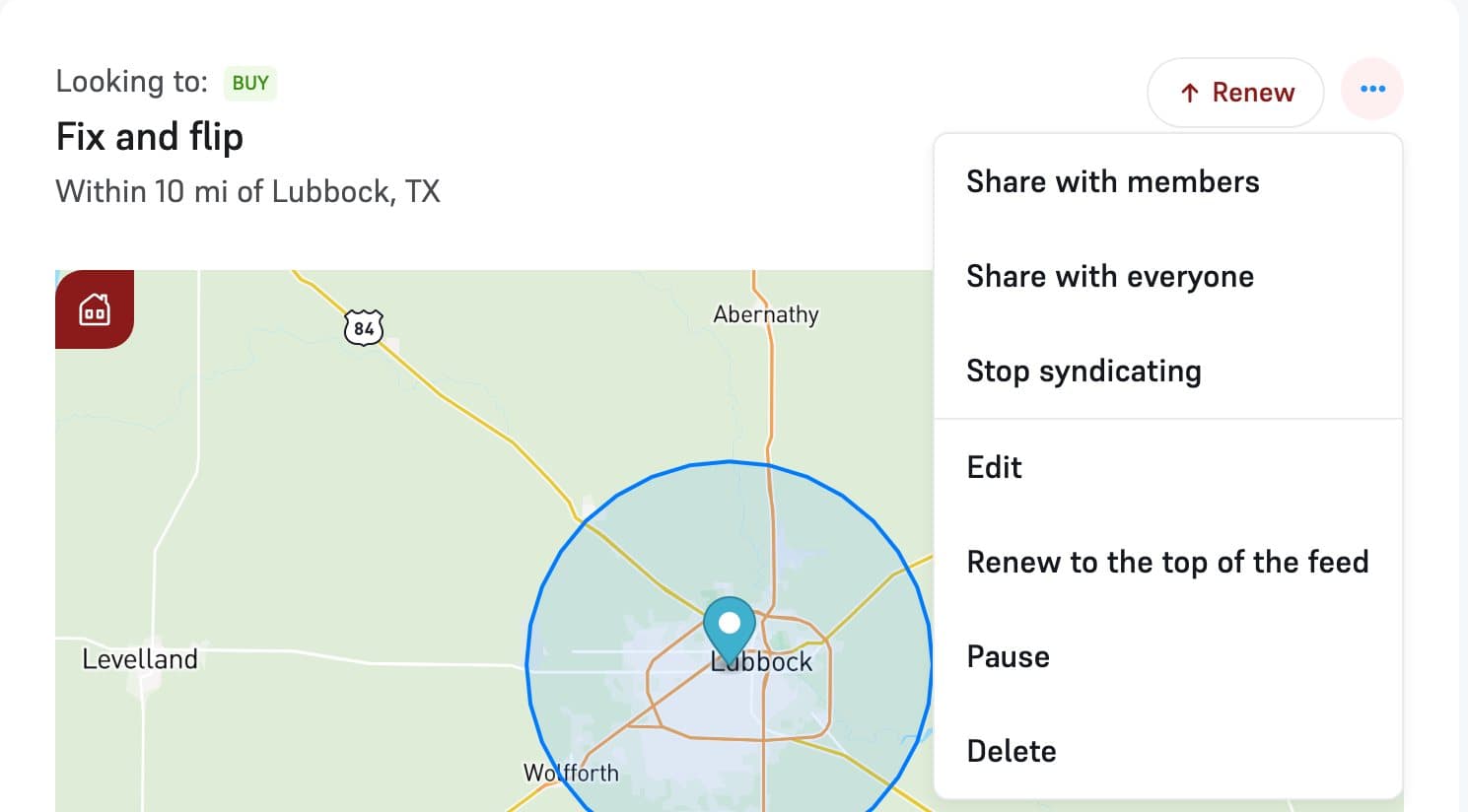
Any active Buyer Want-Listing can go back to the top of the feed, so agents with matching homes see it again. Click Renew under its end date in My Want-Listings, use the Renew button on its page, or pick it from the menu.
You can renew each Buyer Want-Listing once every 7 days. Until then the menu shows the next date you can renew.
Editing moves it back to the top
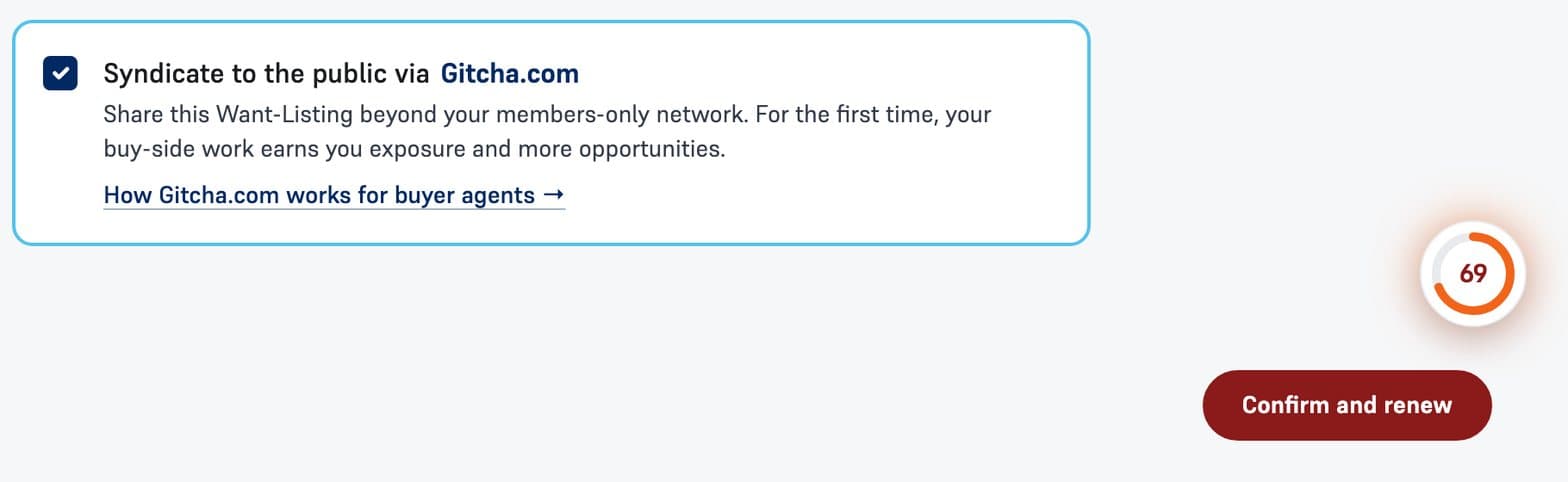
When you edit a Buyer Want-Listing that is ready to renew, the save button reads Confirm and renew. Saving your changes puts it back at the top of the feed in the same step.
See buyer demand on a map
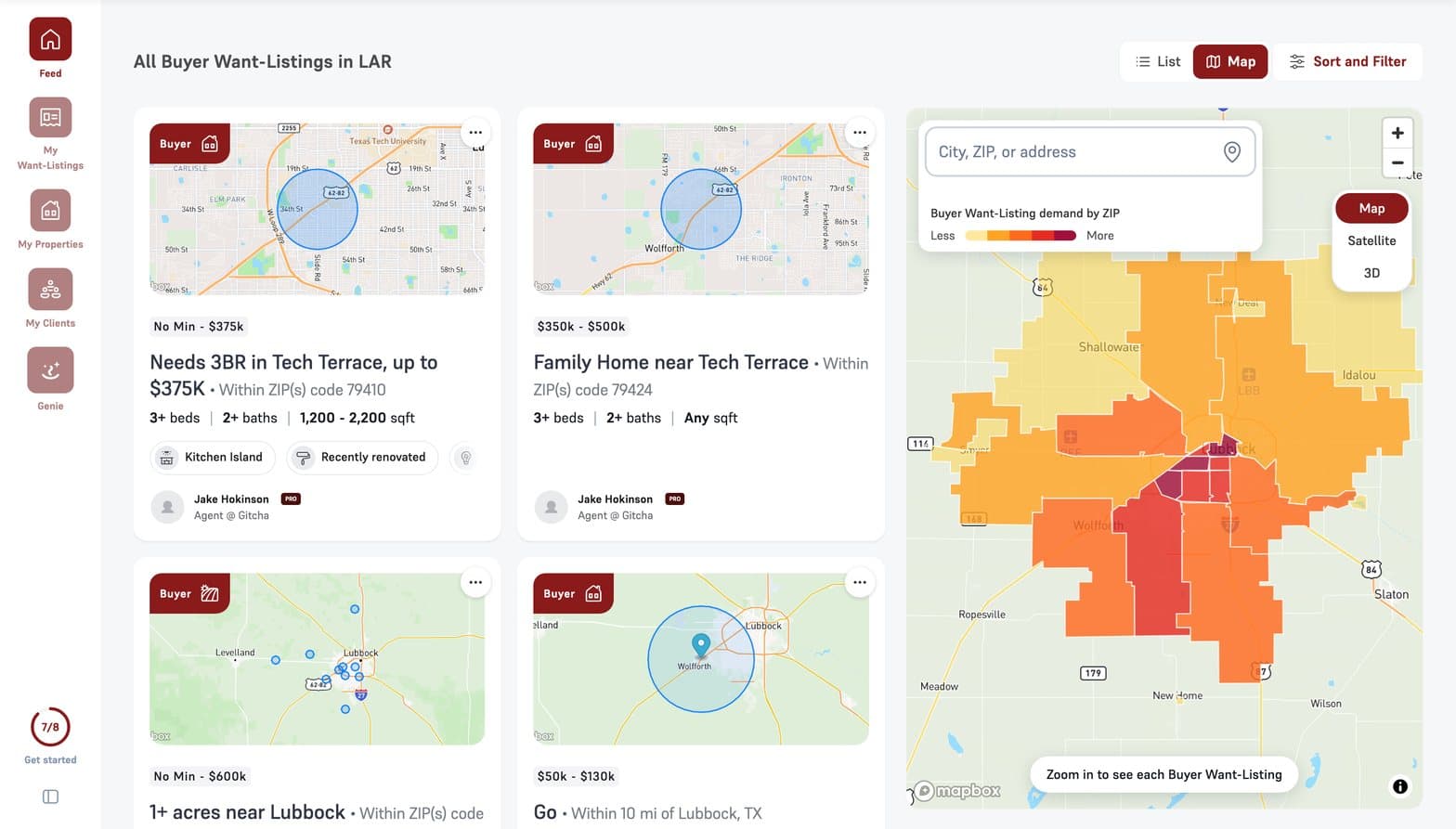
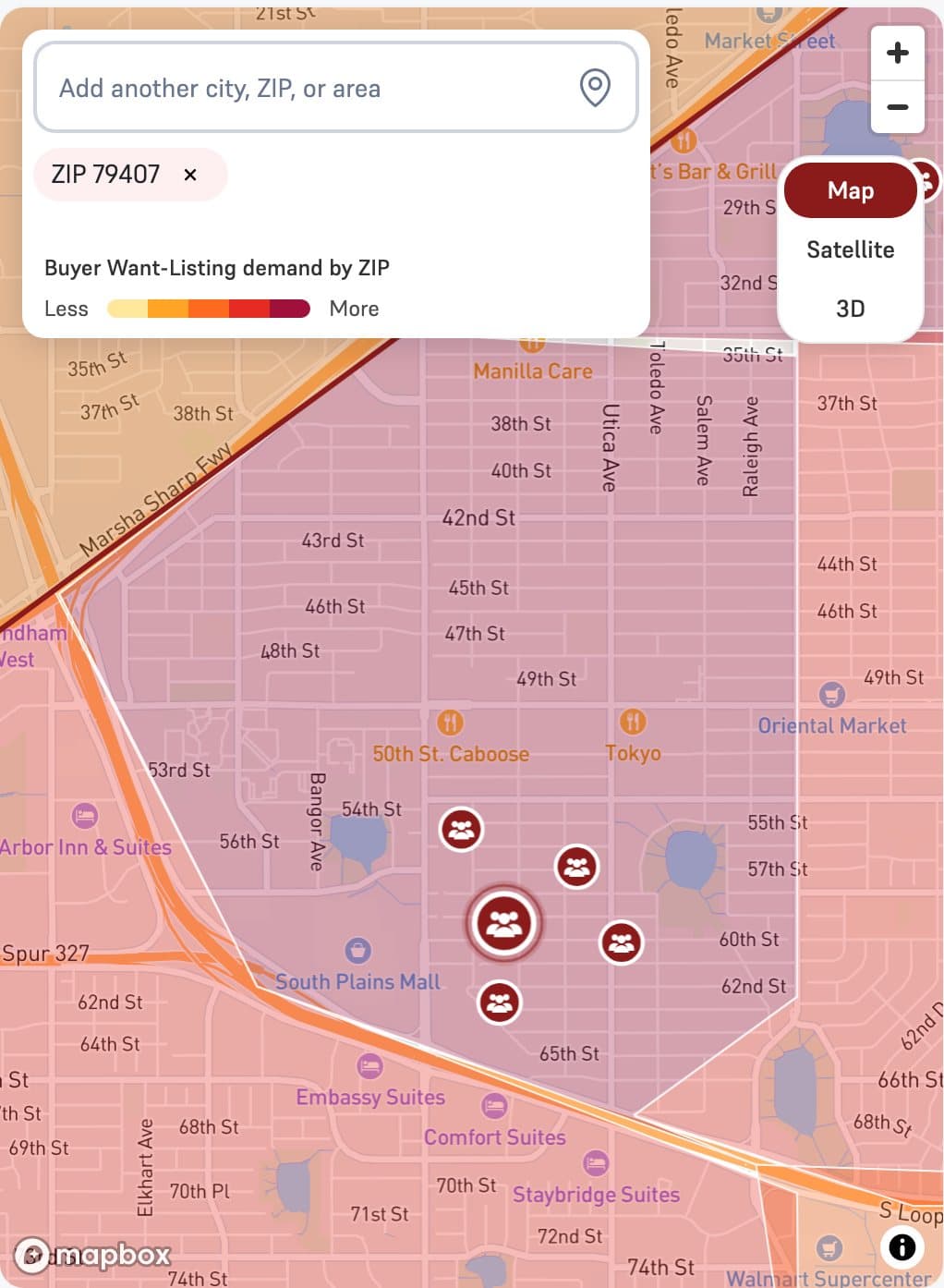
The feed now switches between List and Map. The map shades each ZIP code by how many Buyer Want-Listings ask for it, from Less to More, so you can see where demand sits before you open a single one.
Click a ZIP code to see the Buyer Want-Listings in it, and add more cities, ZIP codes or areas from the search box. Zoom in on a neighborhood to see each Buyer Want-Listing on the map.
Enhanced mapping features
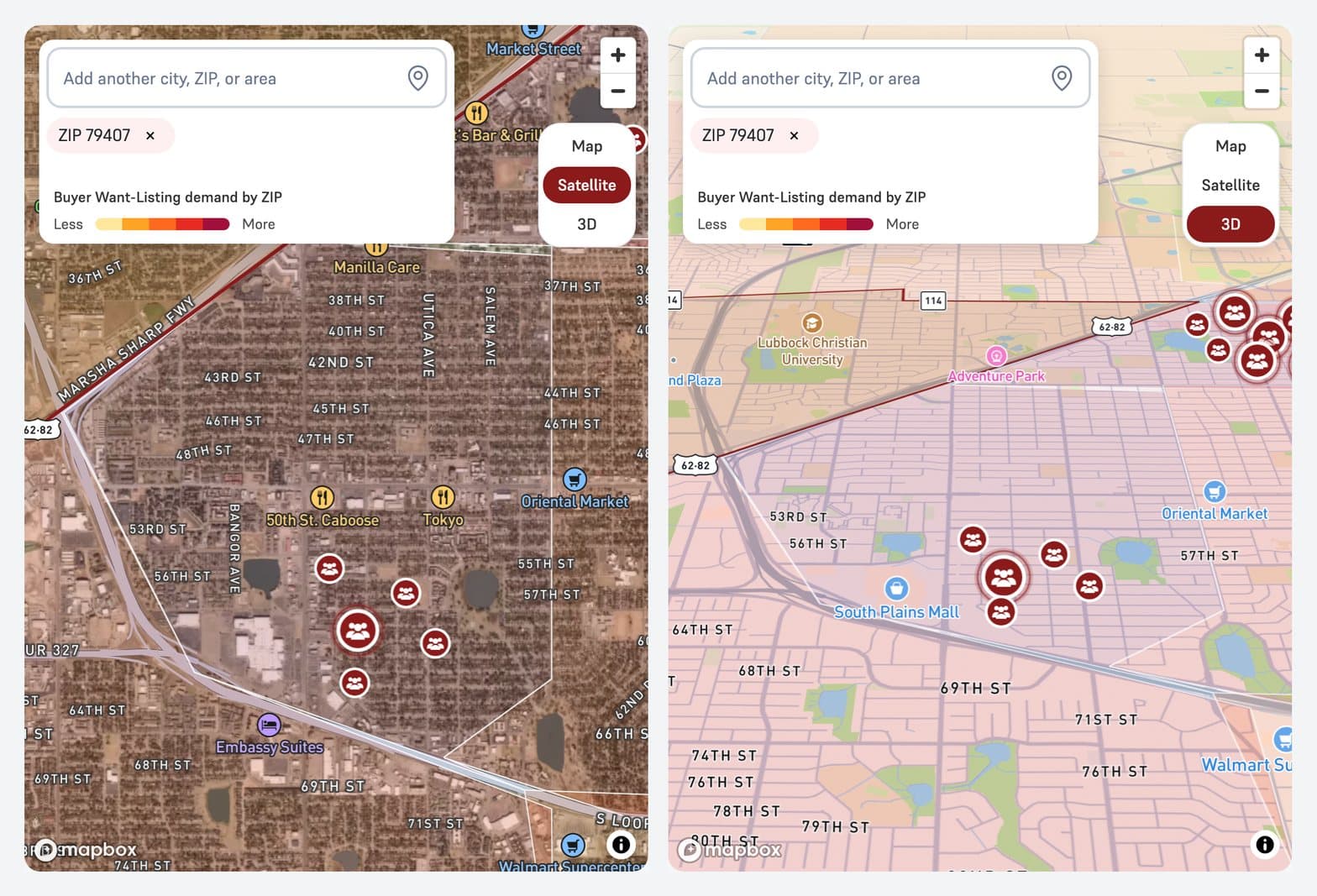
The feed map now has Satellite, for aerial photos of every street and lot, and 3D, for a tilted view of the area. Switch between Map, Satellite and 3D in the top right corner of the map.
Enriched datasets
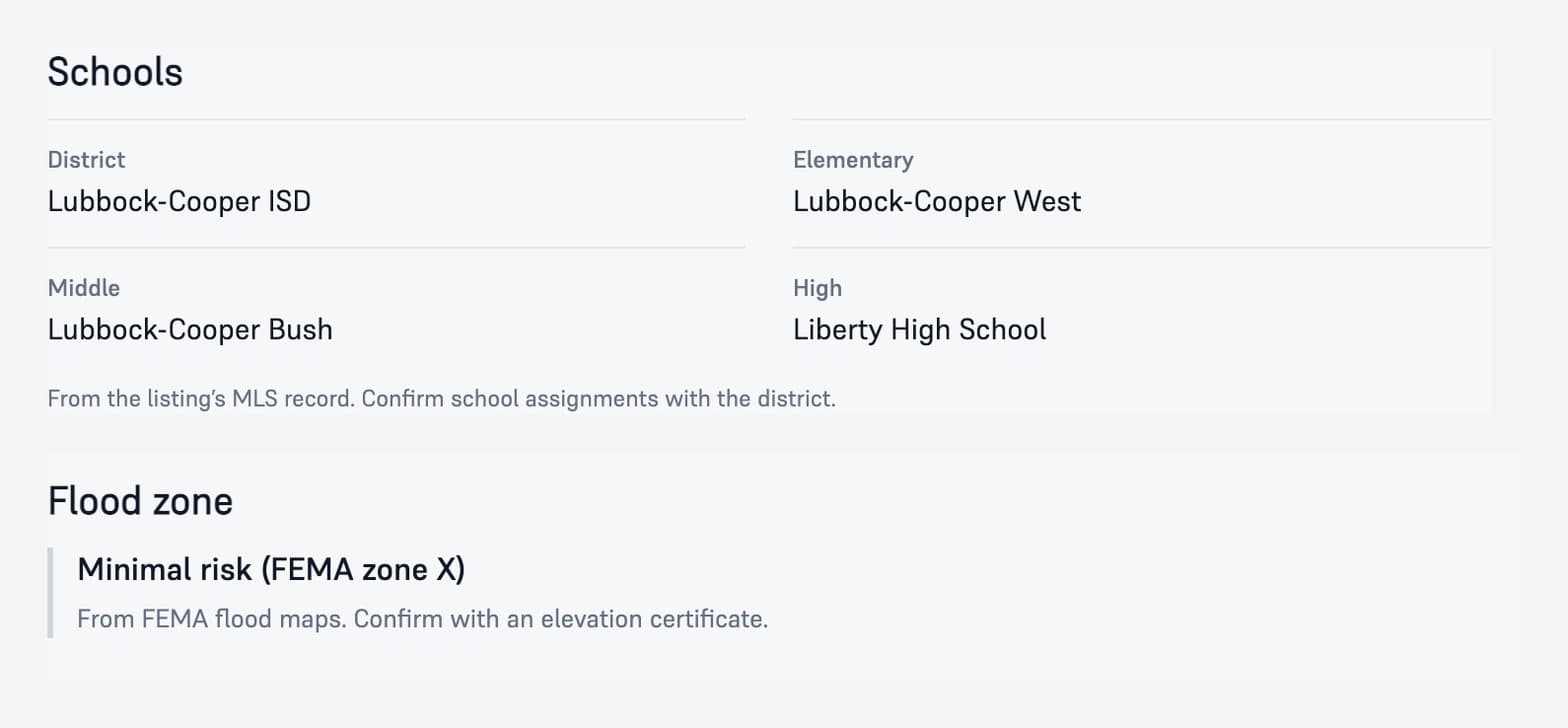
Every MLS listing page now shows its school district and its elementary, middle and high schools from the MLS record, and the FEMA flood zone for the property.
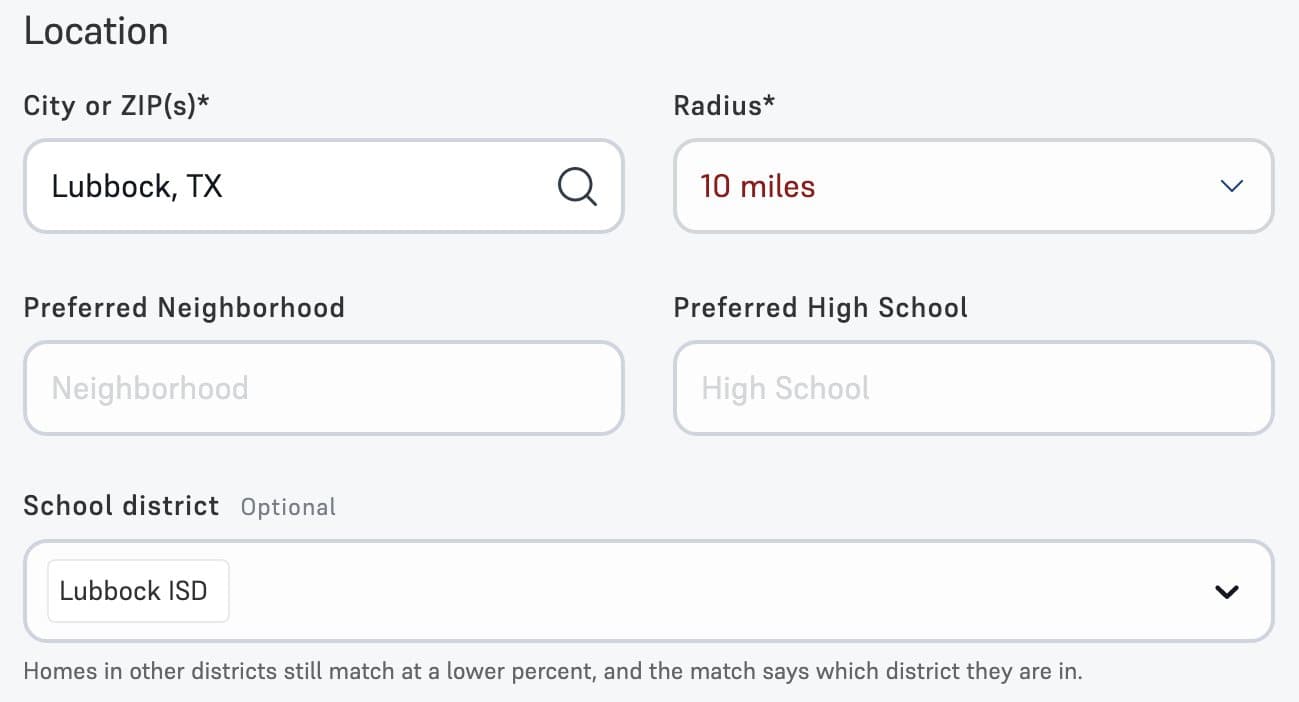
On a Buyer Want-Listing you can name the school districts your buyer wants. Homes in another district still match at a lower percent, and the match details say which district a home is in.
Introductions, now at the top of the screen
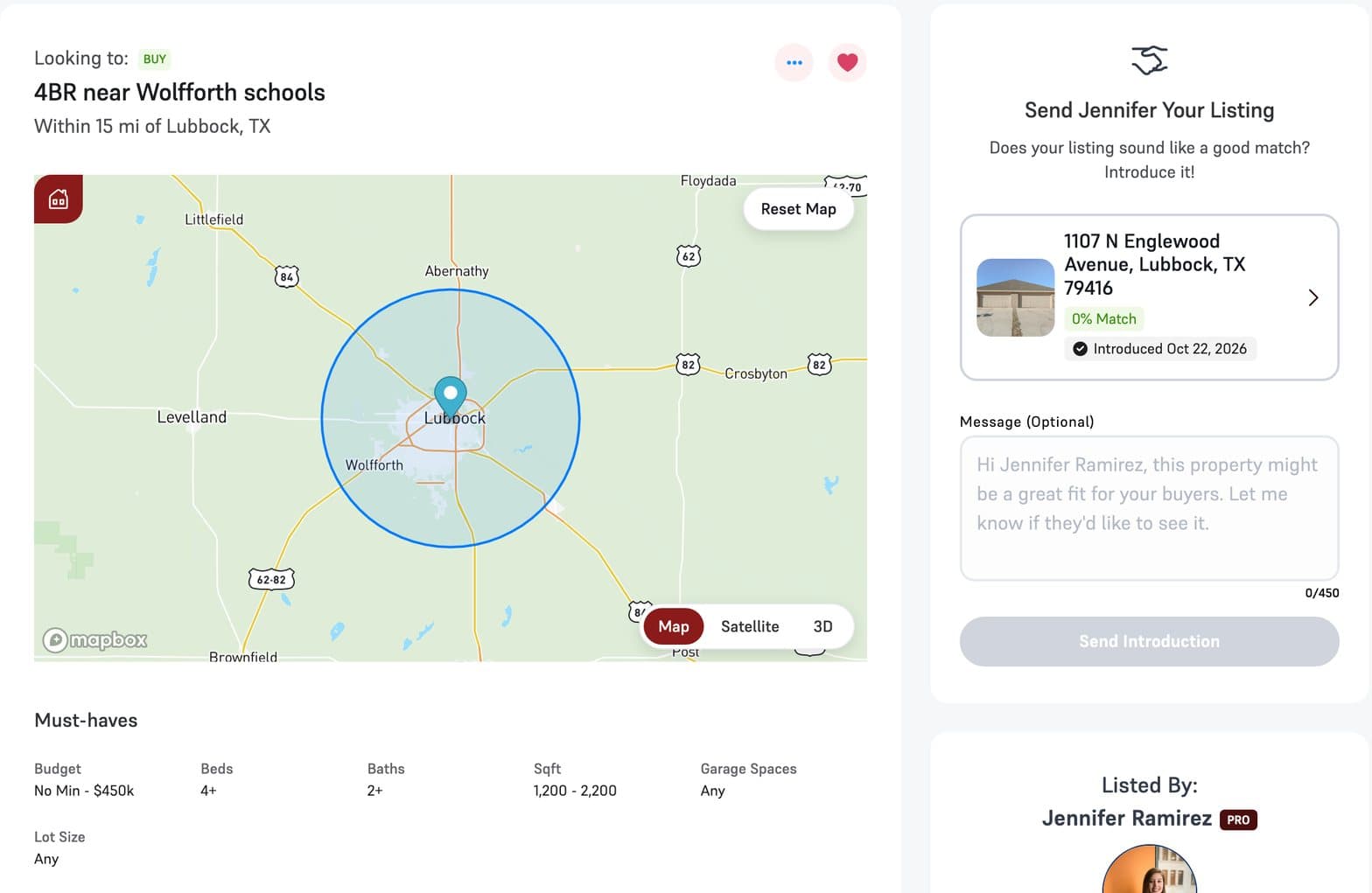
On another agent’s Buyer Want-Listing, Introductions moved to the top of the screen, above your messages, so you can introduce a matching property without scrolling.
Message members from your MLS dashboard
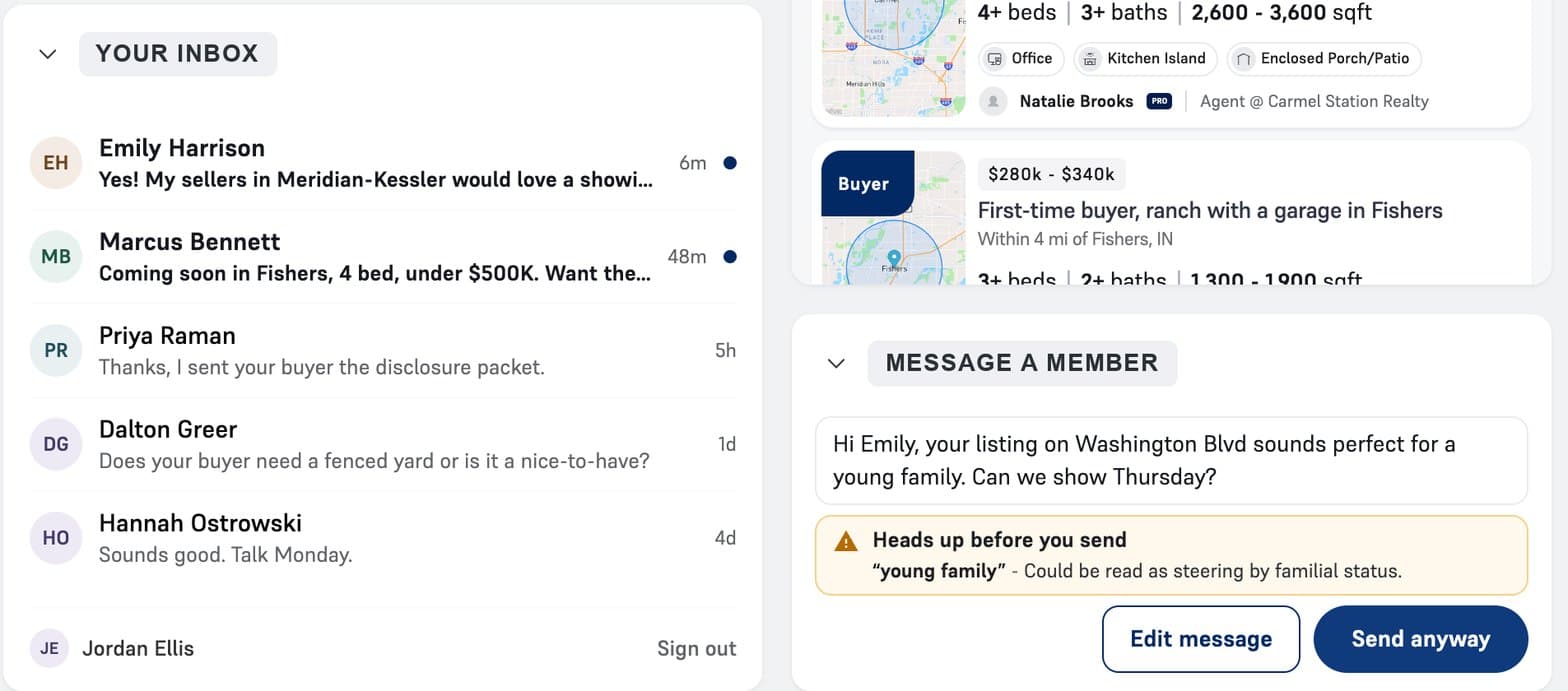
Your MLS can place a messenger right on its member dashboard, next to your inbox. It works like Facebook Messenger: find a member, write, and send.
Every message runs through the same compliance check as messages inside The Buyer Listing Service. If a phrase could read as steering, like “young family”, it is flagged before the message goes out, and you choose Edit message or Send anyway. Every conversation goes back to The Buyer Listing Service, so it all stays in one place.
Profile photos are free for every agent
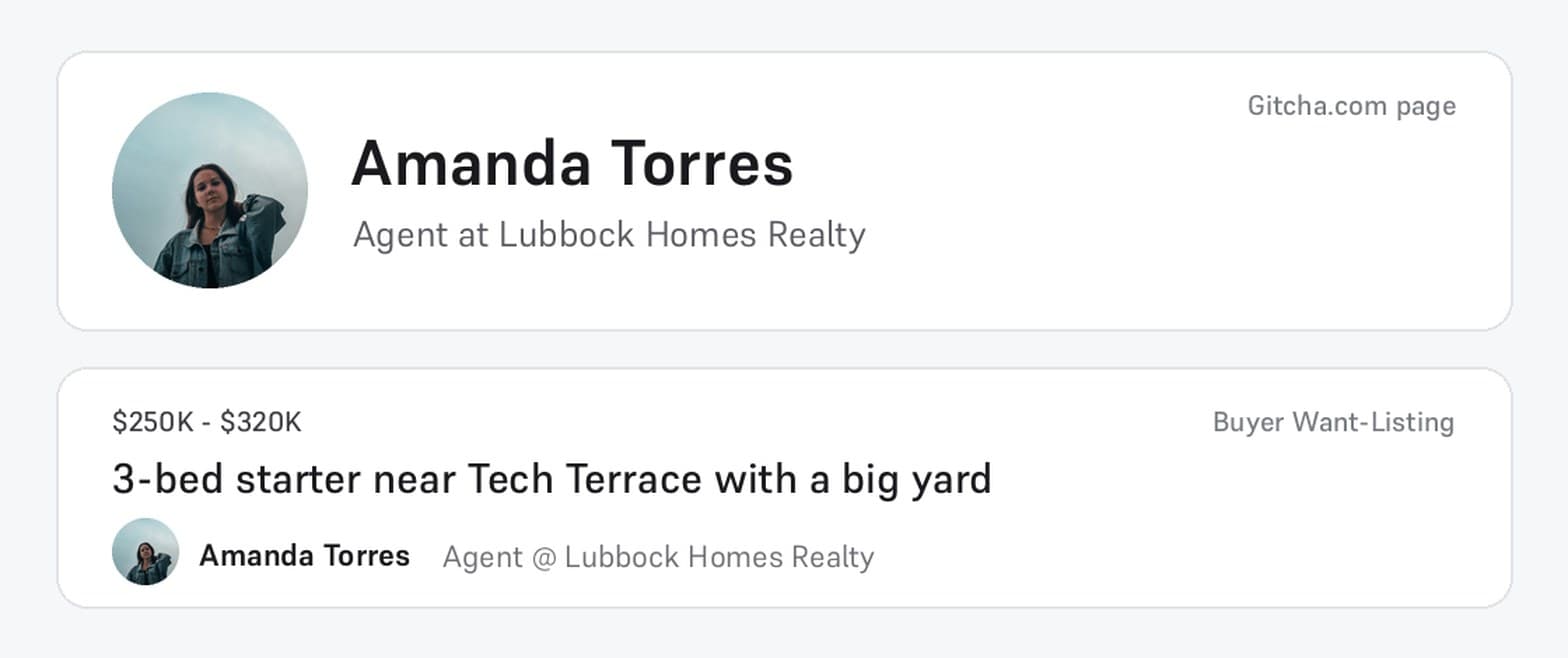
Every agent can add a profile photo now, not just Gitcha Pro. Your photo shows on your Buyer Want-Listings and wherever you share them.
Screenshots come from a demonstration environment with sample properties, sample Want-Listings, and fictional agents and brokerages. Figures are illustrative, not live market data.