New features and product enhancements
A set of strategic enhancements to The Buyer Listing Service, aimed squarely at making your members' day easier - fewer steps to get to the work.
Fewer clicks in the feed
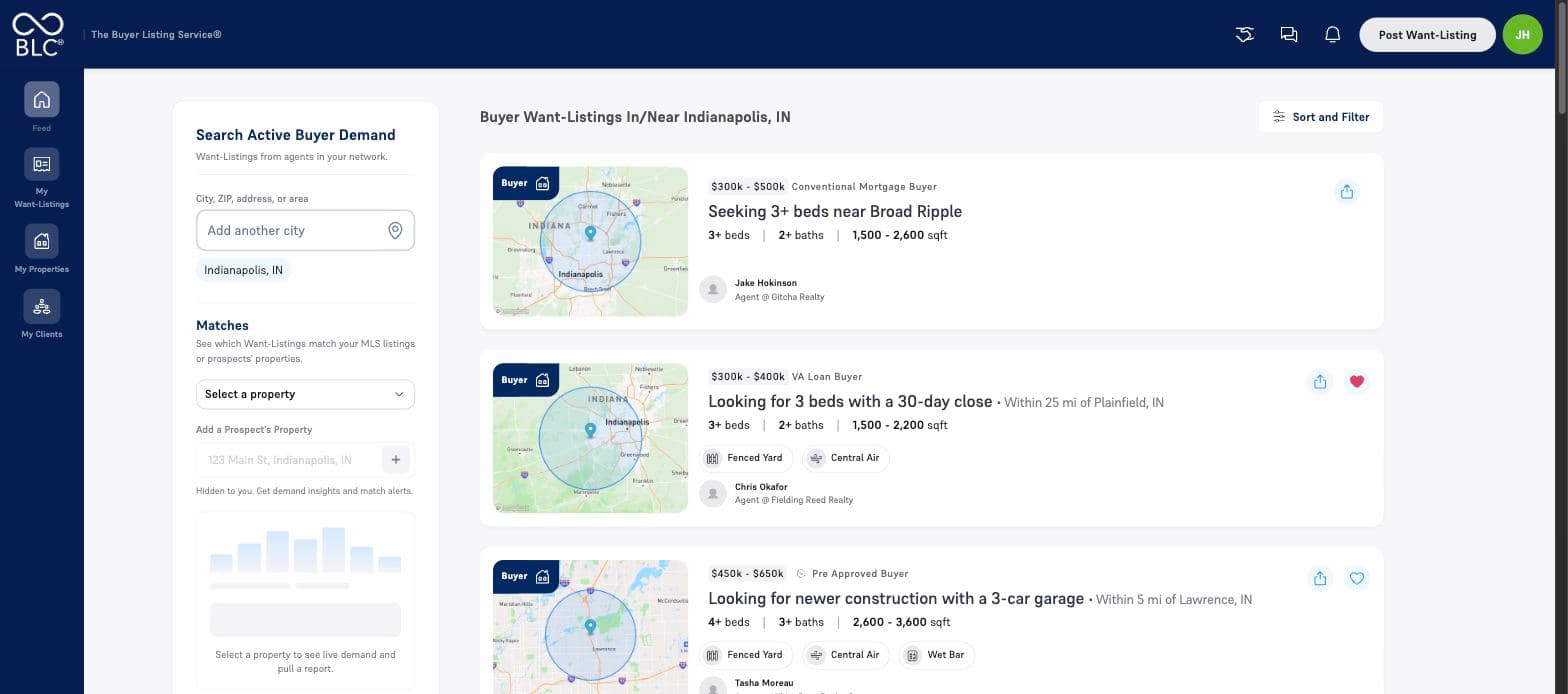
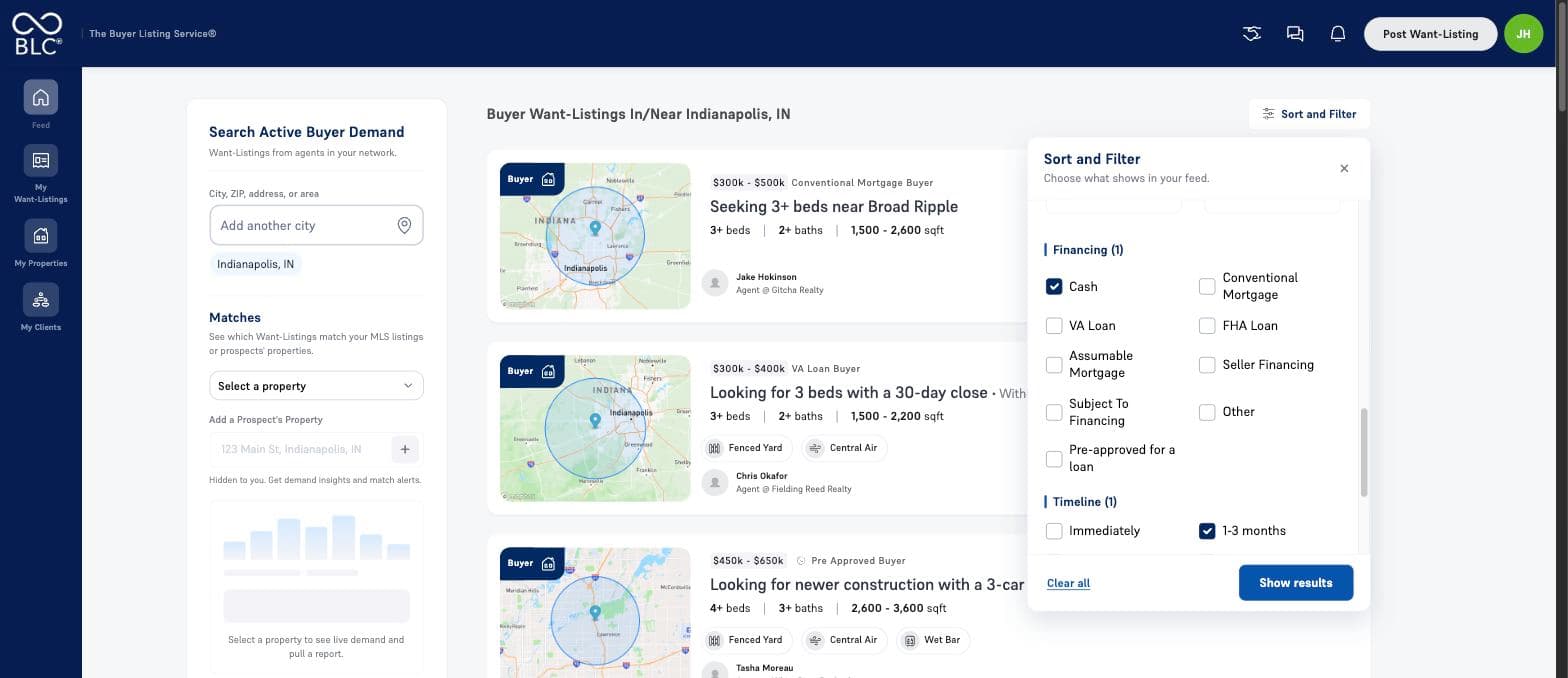
Sorting and every filter now live in a single panel above the feed - the same controls you already use, gathered into one place.
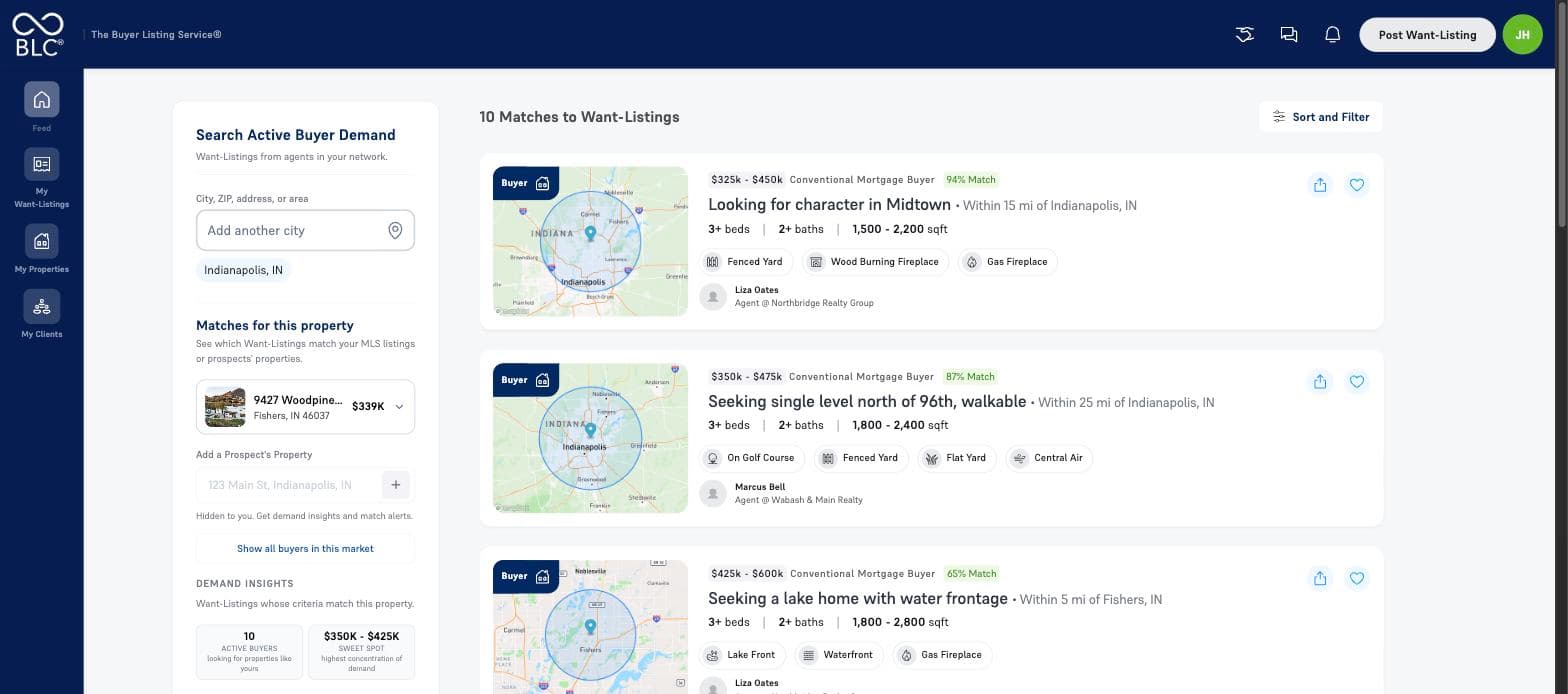
Your properties sit in the panel on the left. Select one and the buyers who match it load straight into the feed, with no separate screen to open. Pick any of your active MLS listings, or type in an address to add a prospect’s home and see the demand for it before it ever goes on the market.
Your properties, grouped and searchable
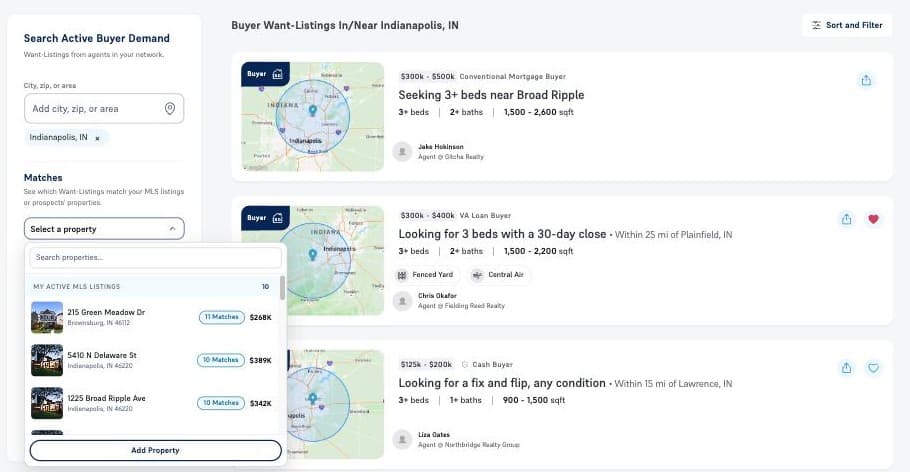
The property selector now separates your active MLS listings from your prospects’ properties, and shows how many buyers match each one before you pick it. The list is searchable, so a large book of business is no longer a scroll.
Previously the list showed prospect properties only. Your MLS listings were loaded after you had already chosen something - which meant they could never be the thing you chose.
Add a prospect’s property from an address
Type an address and the rest fills itself in. Property type, beds, baths, square footage and an estimated price are pulled in automatically, and every field stays editable before you save.
The property is private to the agent. It never appears on the MLS or in the feed - it exists so they can see the demand behind it and pull a report for a listing appointment.
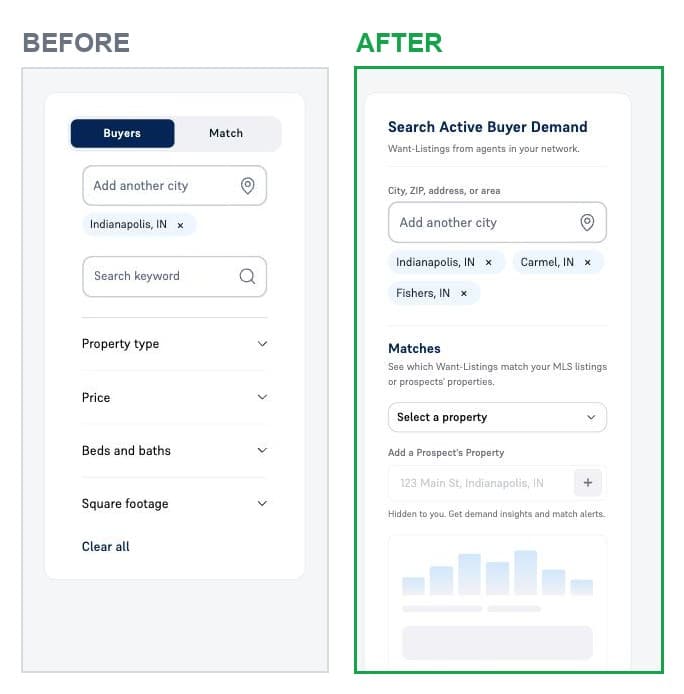
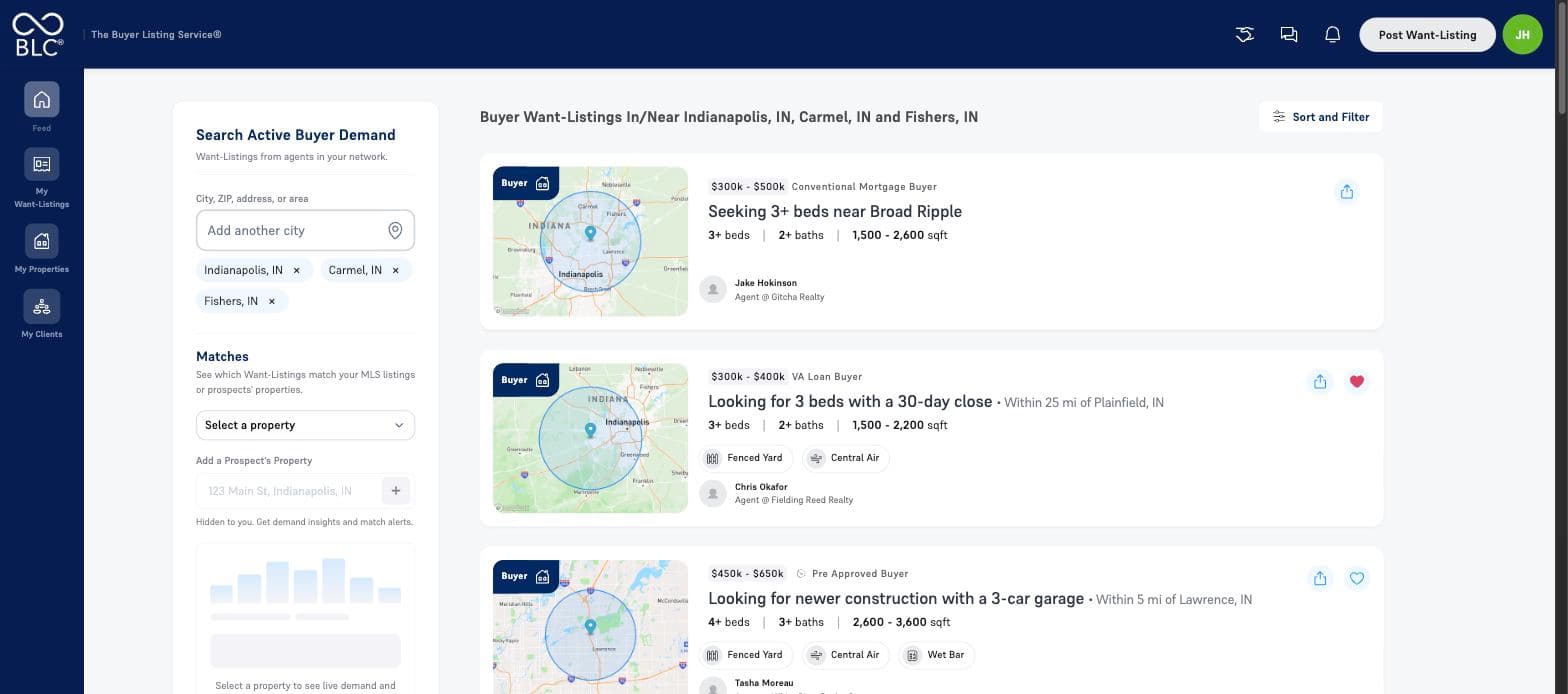
Search multiple cities and ZIPs at once
Most agents work more than one market. Add as many cities and ZIP codes as you cover within your MLS and the feed shows demand across all of them at once, rather than making you check them one at a time.
Mix in as many ZIP codes as you like alongside those cities, and add points of interest by name - a school, a park, a landmark - to see the buyers looking near them. Clear your selections and the feed stays put, showing every Want-Listing across your market rather than sending you back to a search screen.
Sharper matching, both ways
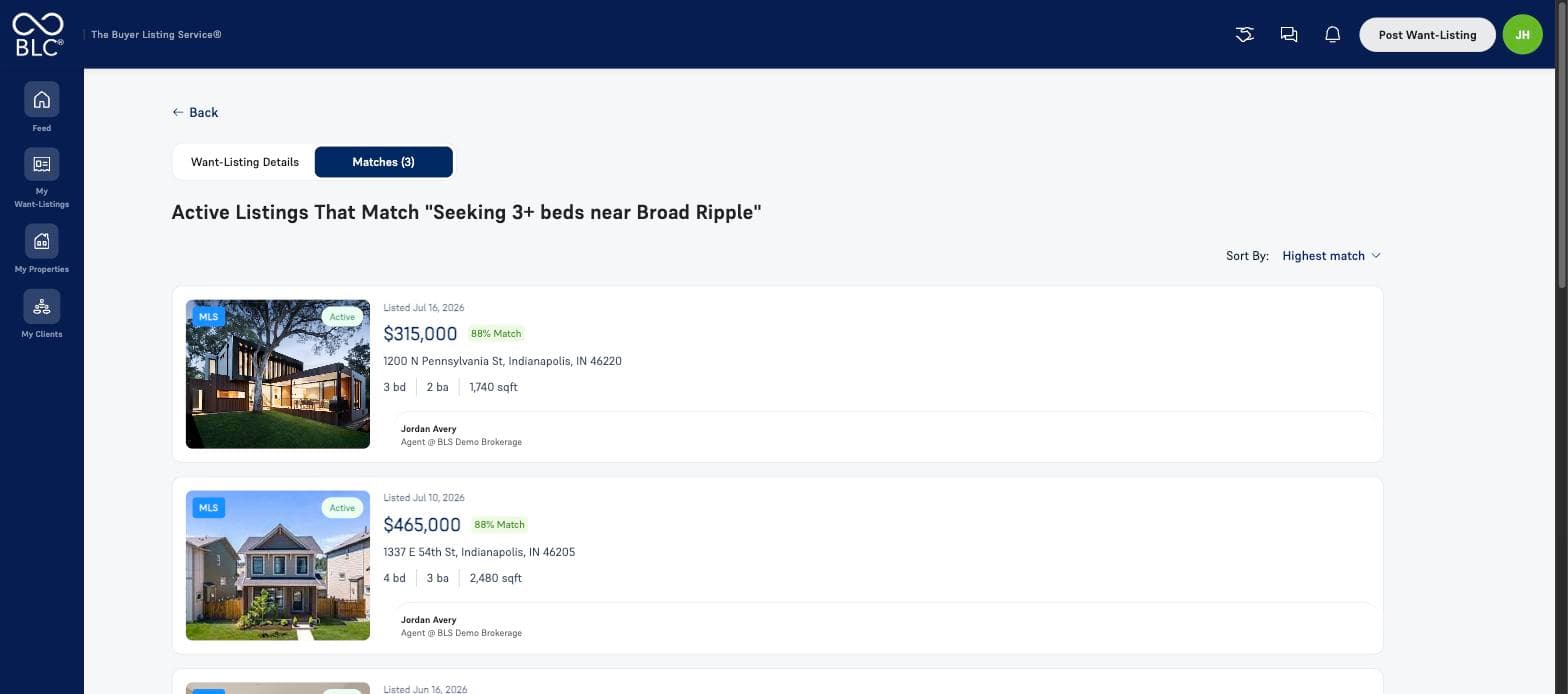
Matching helps both buyer agents and selling agents. We tuned how matches are scored so the strongest fits rise to the top, and it works from either side: start from a Want-Listing to see the active listings that meet your client’s requirements, or start from a property - your own listing or a prospect’s home - to see the buyer demand for it.
Suggestions, when nothing fits exactly
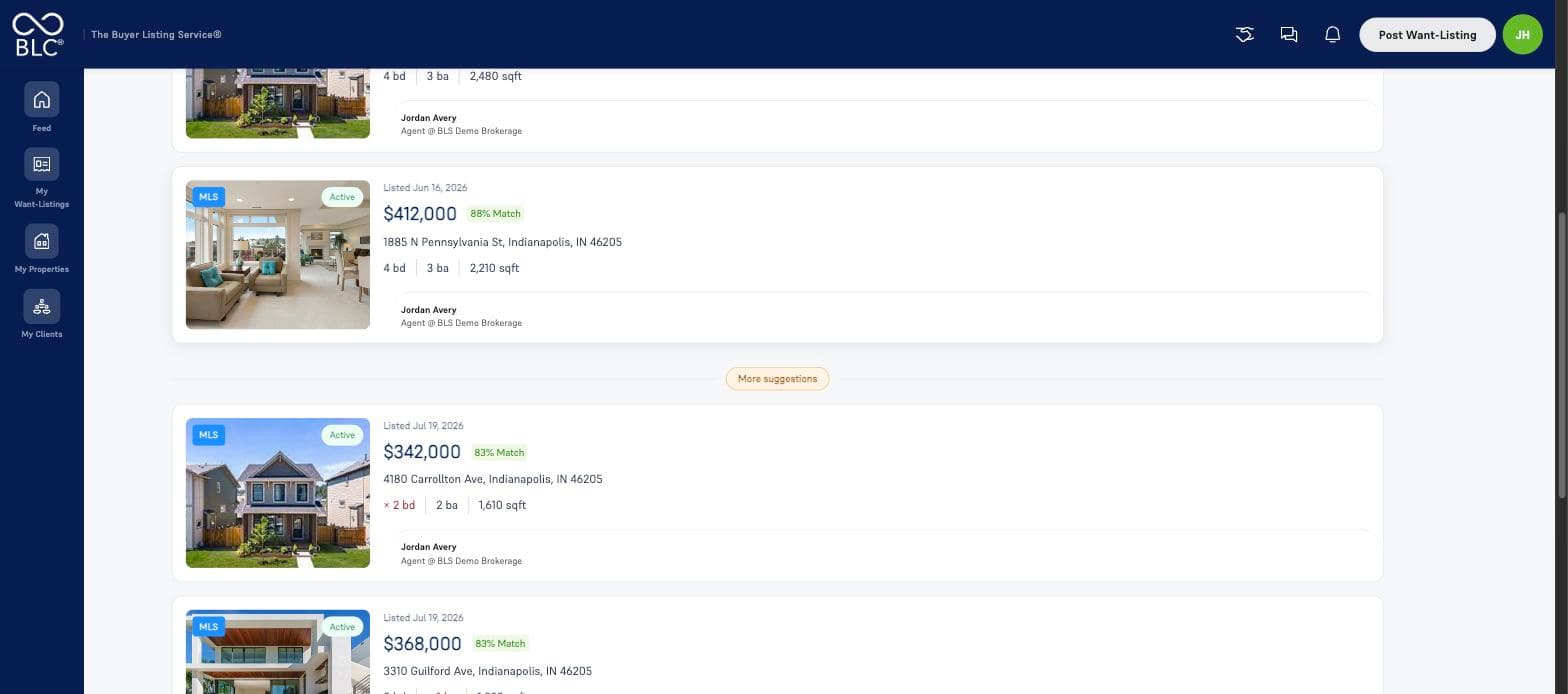
A buyer asking for four bedrooms doesn’t want a two-bedroom. But a three-bedroom one street over is worth a look. Listings that come close without meeting every requirement now appear below your matches, each one marked where it falls short. They stay out of your match counts and alerts, so the numbers you rely on don’t change.
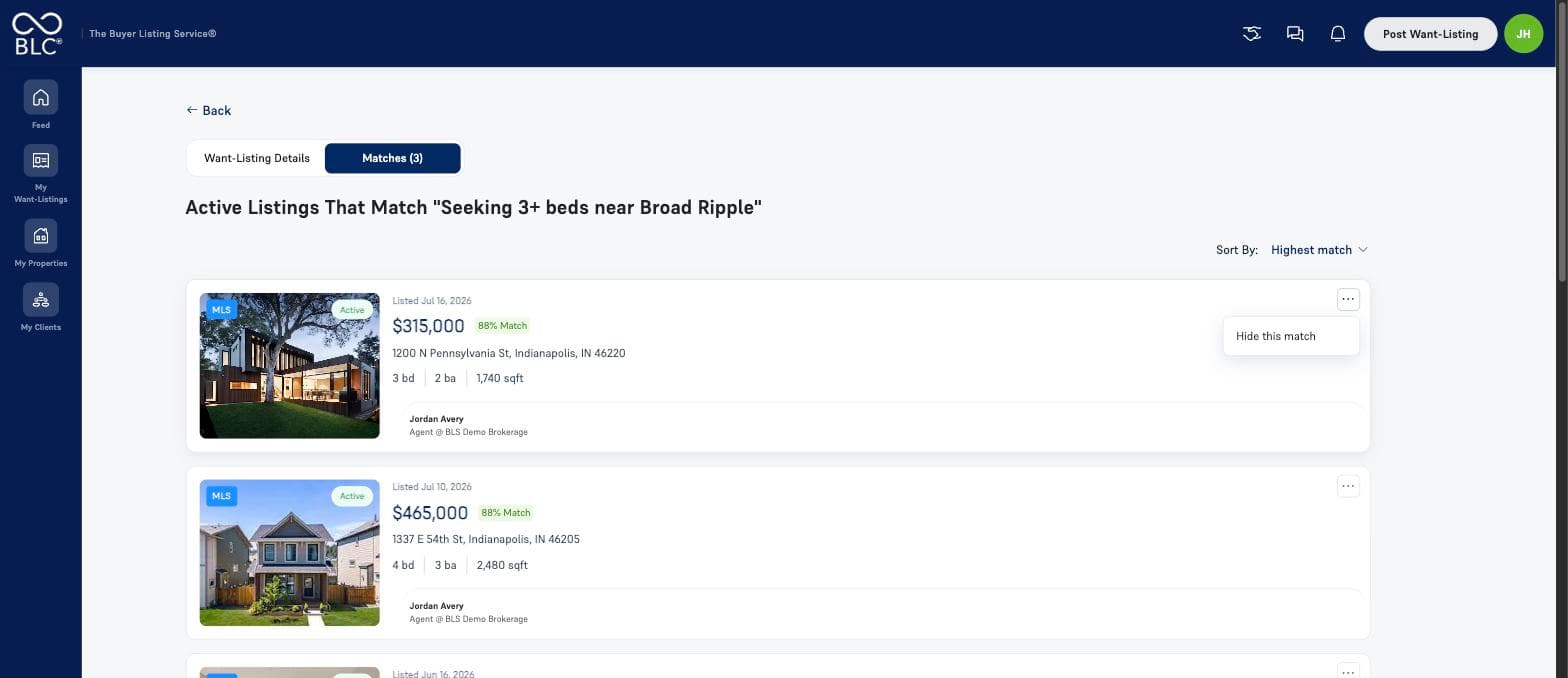
Hide a match you don’t want
Not every match is worth a call. Hide one and it comes off the list and out of your count, the same way clearing a notification works - hide them all and you’re at zero. It works from both sides, and hiding a listing from your Want-Listing never affects what that listing’s own agent sees. We’ll also ask why, in one optional tap - that answer is what teaches the matching engine to do better next time.
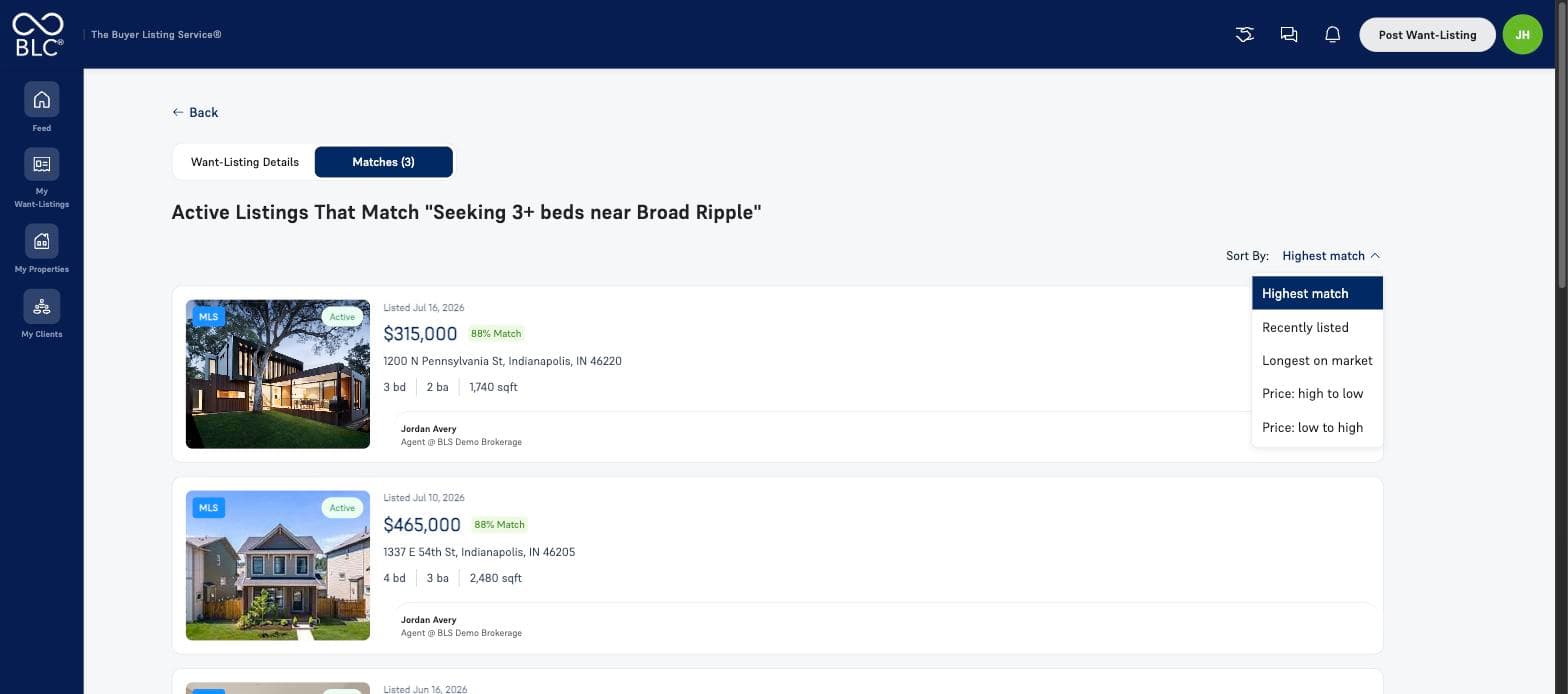
More ways to sort matches
Sort by highest match, recently listed, longest on market, or price in either direction - so you can lead with the strongest fits, the newest listings, or the ones most likely to move on price. Your buyer matches sort the same way, from the Sort and Filter panel.
Only what is actually in your market
Search a city and you now see Want-Listings whose own search area covers that city - not everything that happens to sit within 25 miles of it.
Before this, a buyer looking within five miles of one town could surface in a search for another town twenty miles away. Expect match counts to be smaller and more accurate. Nothing was removed - the results that disappeared were never really in that market.
The feed, rebuilt for phones
Market, matches and filters now sit in a bar at the top of the feed instead of behind a button labelled Sort and Filter. Filters open as a sheet from the bottom with a running result count, and cities and ZIP codes can be added or removed without leaving the feed.
Everything the desktop panel does, reachable with a thumb.
Nothing for your members to set up
Every change here arrives with the release. Existing Want-Listings, properties and saved markets are untouched.
Coming next
What’s coming in September
- AI co-pilot
- Downloadable reports
- Admin dashboards
- And more
Screenshots come from a demonstration environment with sample properties, sample Want-Listings, and fictional agents and brokerages. Figures are illustrative, not live market data.